Nicole Rabanal

05

Brand Governance & Enablement

Brand Standards · Templates · Creative Systems

Partner work has to stay consistent across designers and files. This project is a QuickSheet template that records logos, fonts, color and production notes for each account.

The QuickSheet

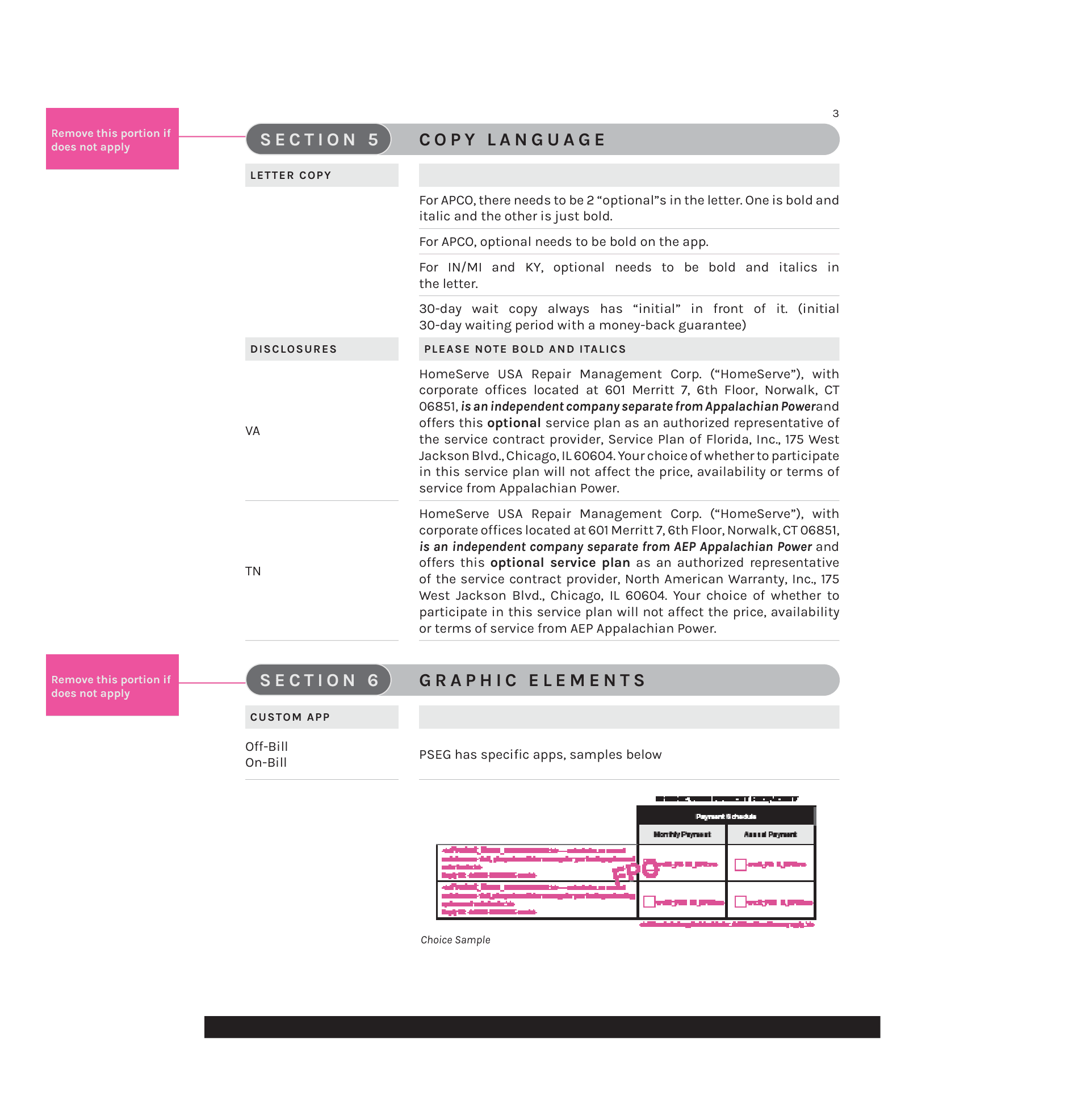
Each partner QuickSheet is a style guide. Page one covers the logo, clearance and asset links. Page two records fonts and the color palette. Page three holds copy language and graphic elements. Production notes mark what to keep, change or remove.
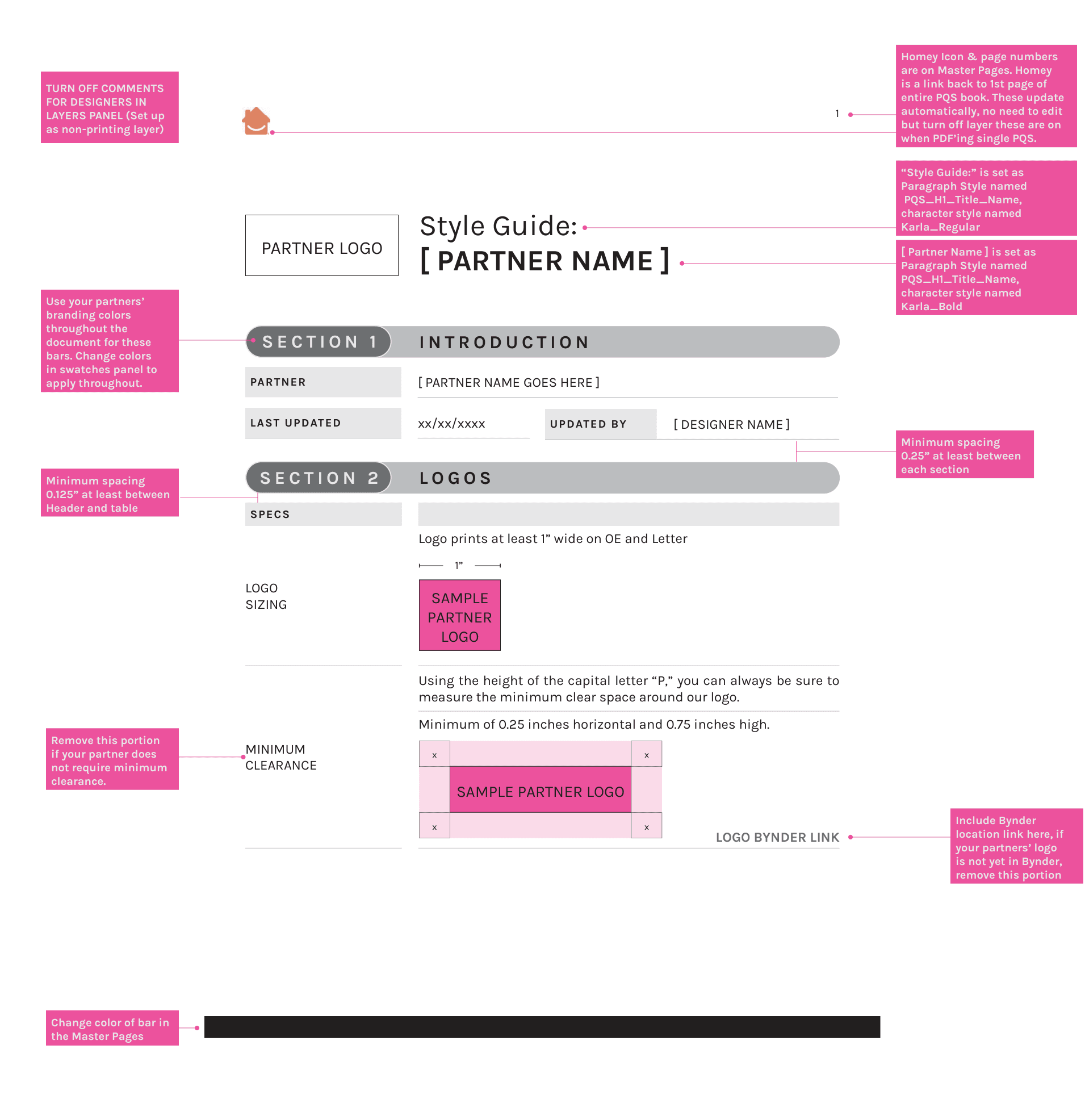
Partner QuickSheet page one with logo placement, clearance and document setup notes.
Page one. Logo, clearance and setup.
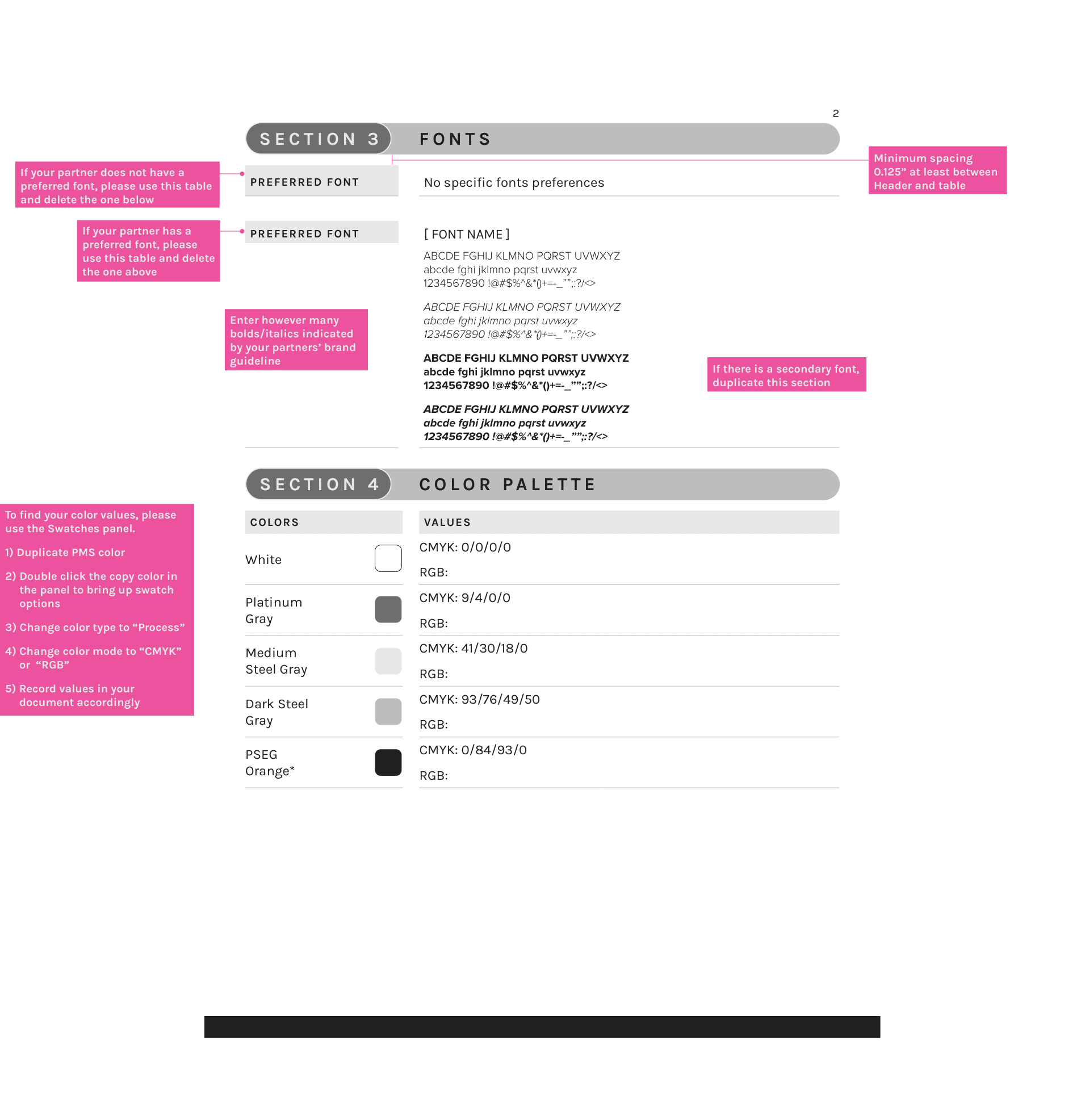
Partner QuickSheet page two with font rows and a color palette table.
Page two. Fonts and color palette.
Partner QuickSheet page three with copy language, disclosures and graphic elements.
Page three. Copy language and graphic elements.

Filled QuickSheets

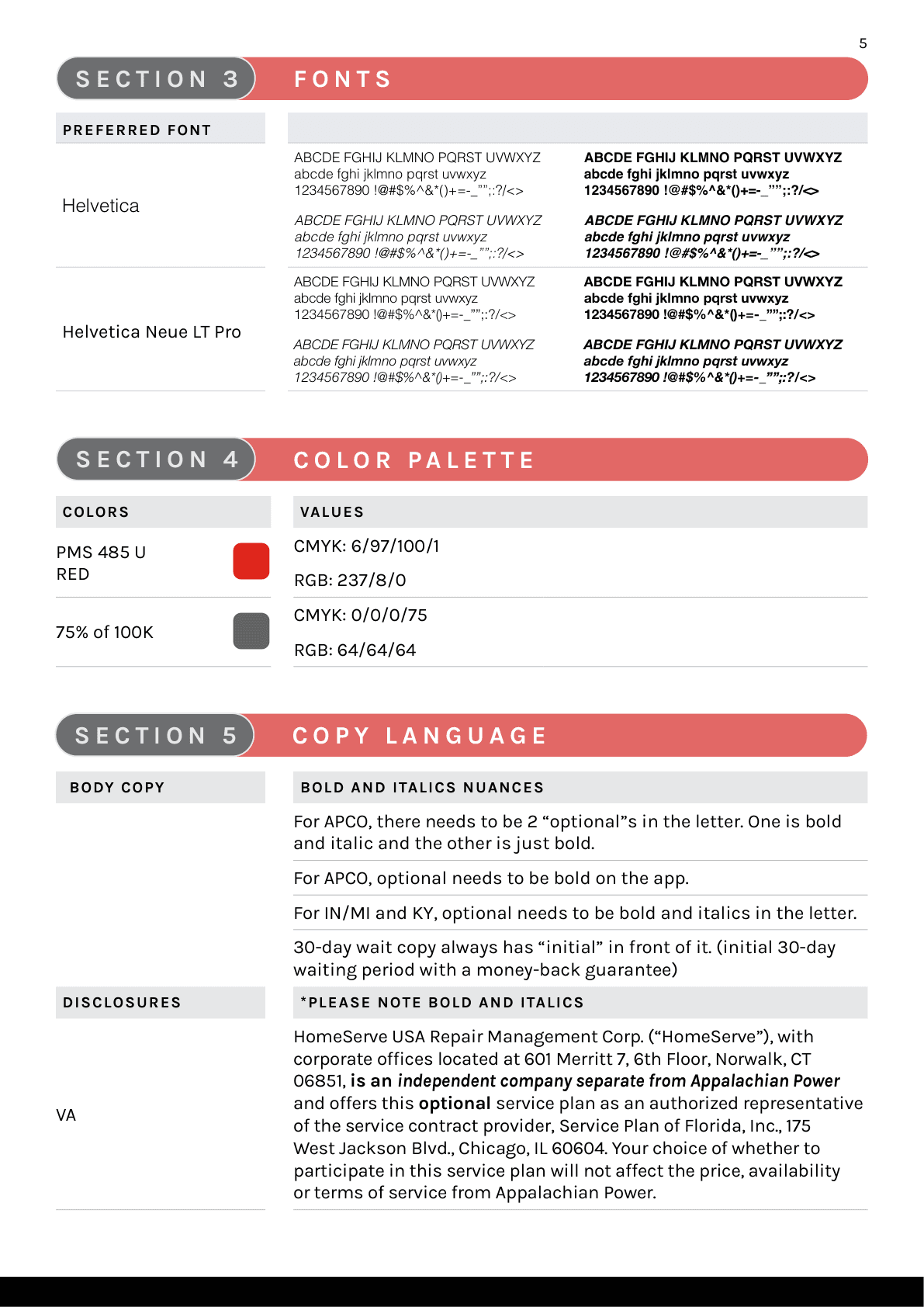
A filled QuickSheet applies the template to one partner. AEP uses red and gray. Charleston Water System uses blue.
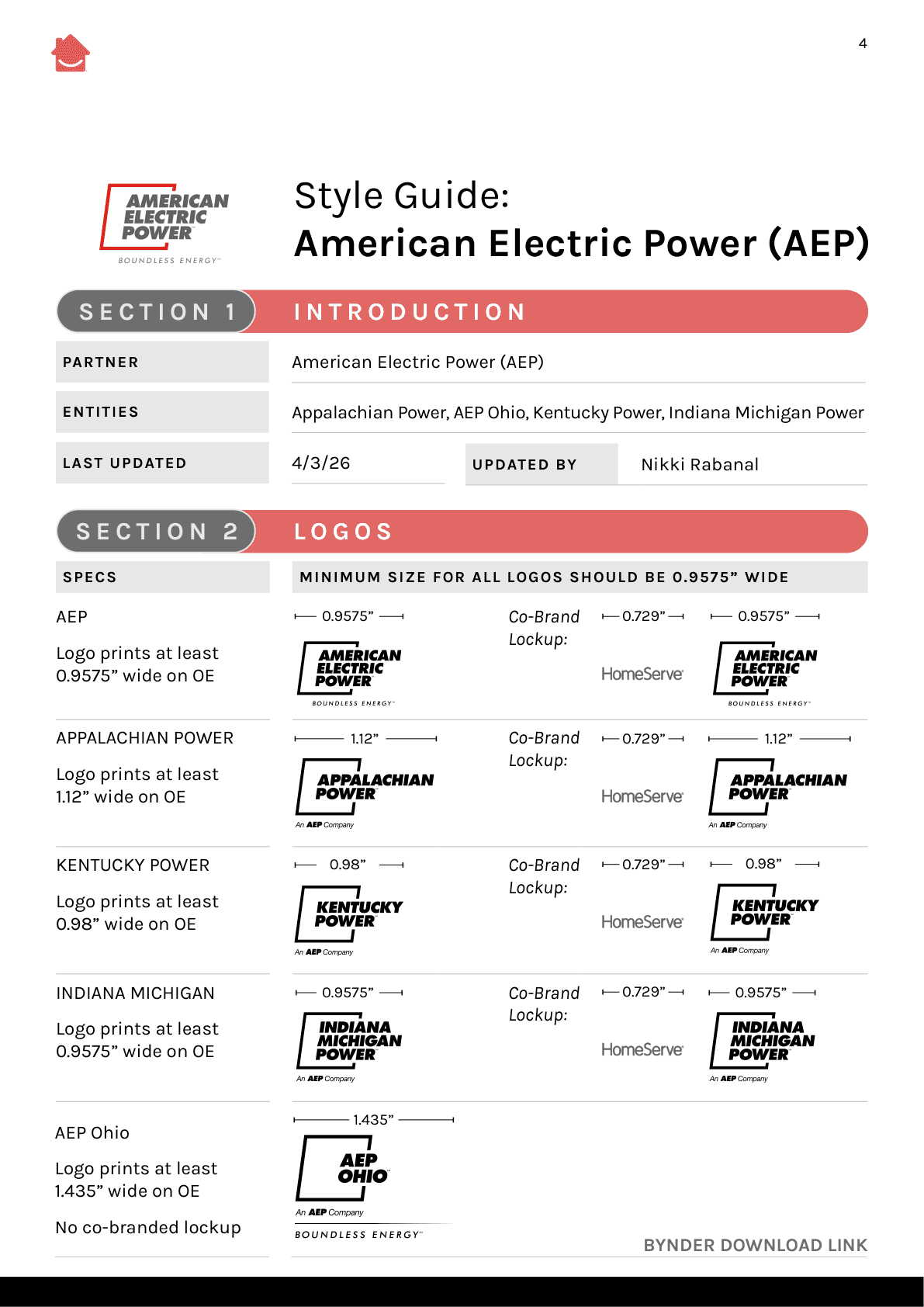
Filled AEP QuickSheet page one with partner logo, entity lockups and clearance.
AEP QuickSheet, page one.
Filled AEP QuickSheet page two with fonts, color palette and copy language.
AEP QuickSheet, page two.
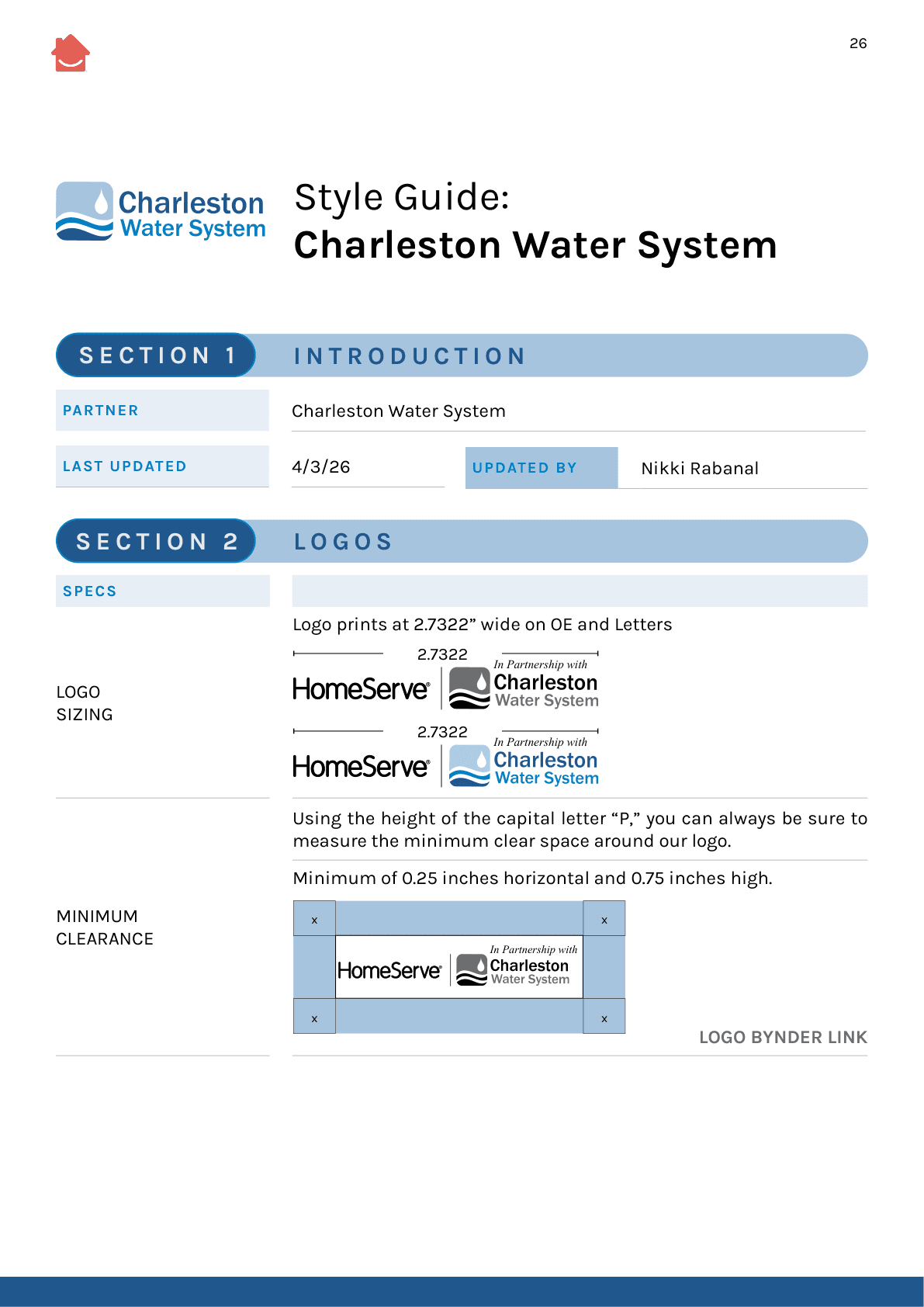
Filled Charleston Water QuickSheet page one with blue partner lockup and clearance.
Charleston Water QuickSheet, page one.
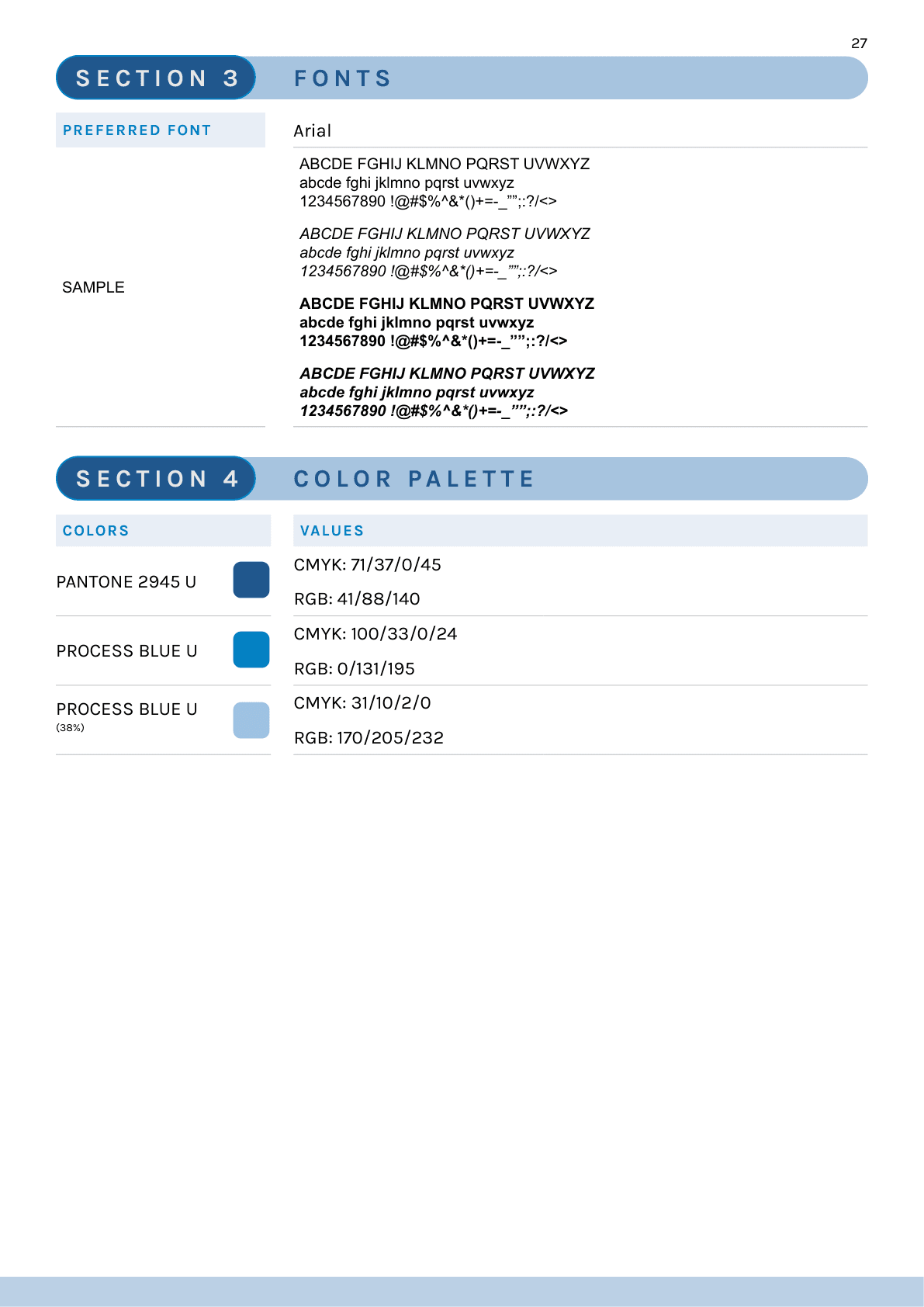
Filled Charleston Water QuickSheet page two with blue color palette and preferred fonts.
Charleston Water QuickSheet, page two.